luxury.host User Manual
Welcome to the luxury.host manual. It is the everyday guide for everyone who runs properties with the app: owners, hosts, cleaners, and admins.
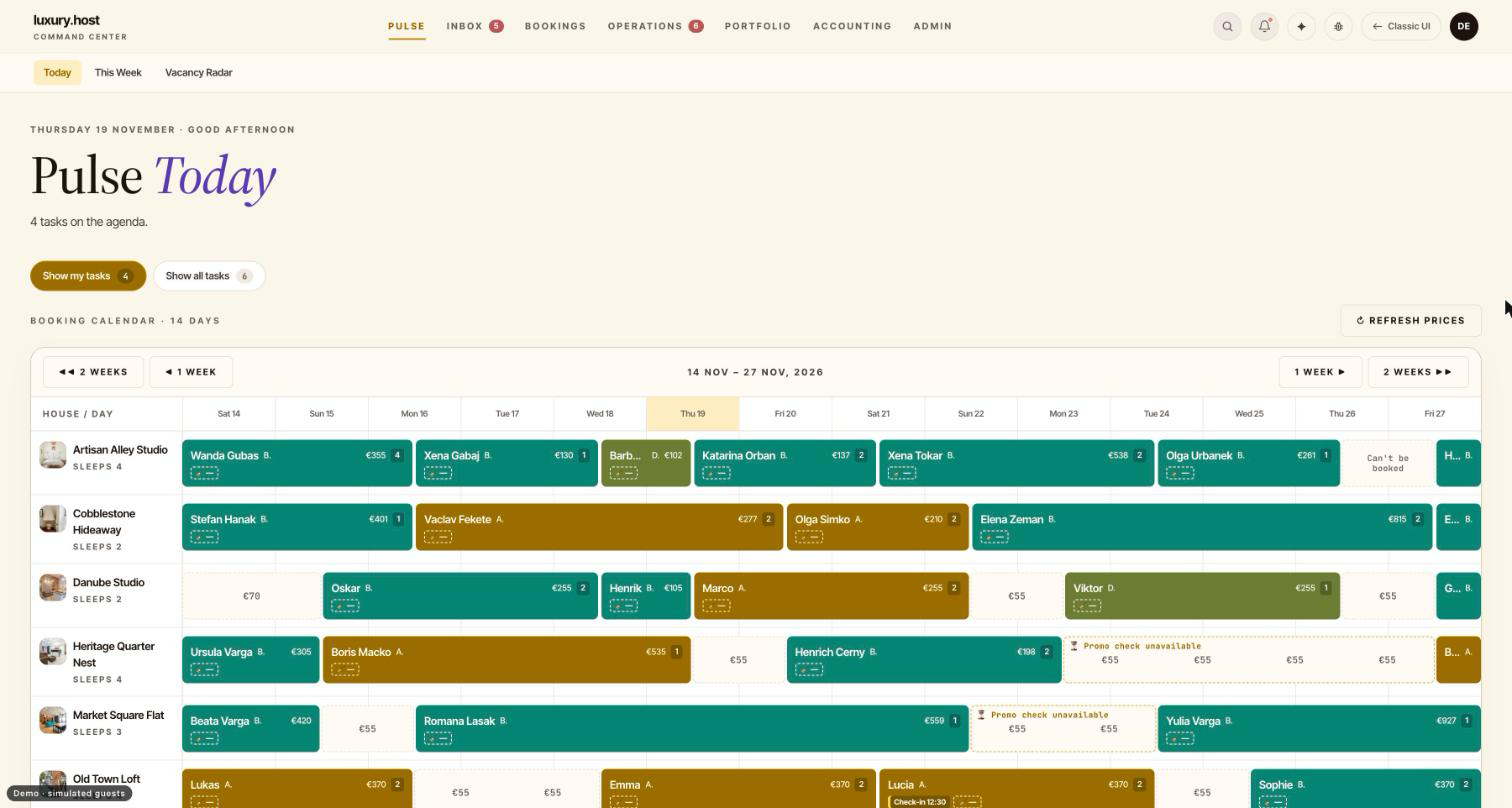
What this manual is. Plain explanations of every feature you use: where to find it, what it does, how to use it, and what to do when something looks wrong.
What it is not. A guide for software developers.
Where do I start?
| If you are… | Read first |
|---|---|
| New to the app | Getting Started → Overview |
| Logging in for the first time | Getting Started → Login |
| Looking at the Pulse dashboard | Getting Started → Dashboard |
| Setting up a new host's account | Getting Started → Onboarding |
| Adding a new property | Properties → Property Configuration |
| Setting up the smart lock | Properties → Smart Locks (Nuki) |
| Dealing with a stuck reservation | Reservations → Send Check-in |
| Writing or editing a task rule | Task Templates → Editor |
| Asking the AI assistant | Pulse Copilot |
| Adding a cleaner | Team & Access → Teammates |
| Checking payouts | Accounting → Payments |
Manual sections
Getting Started
Sign in, a tour of the home screen, and the basic words used everywhere: account, property, reservation, task, teammate.
Properties
Your property list, settings for each property, prices, photos, check-in and check-out times, and Nuki smart locks.
Reservations
The reservation list, the details of each reservation, and Send Check-in, which sends guests their PIN code and arrival instructions.
Tasks
Tasks for each reservation, task cards, tasks that finish by themselves, and the WhatsApp messages that tell the right person what to do.
Task Templates
The rules that create tasks: when they run, the placeholders you can use ({{guest.name}}, {{property.address}}…), conditions, and the editor.
Pulse Copilot
The AI assistant inside Pulse. Ask it a question, paste a screenshot, or ask it to create a task for you.
AI Cockpit
Tune the AI: settings for each AI helper (instructions, model, thinking time, number of rounds), the AI instructions editor, and an AI cost overview you can open per conversation turn.
Communications
The WhatsApp bot, AI reply suggestions, language detection, your FAQ, the Message Templates editor and Inbox search.
Special Requests
The AI spots guest requests (wine / parking / early check-in / etc.). You approve them. You decide per account how the AI handles them.
Auto-refine drafts
Rules per template or per account: drafts the AI is sure about are sent automatically. Drafts with a problem are improved first, or wait for you to approve them.
Team & Access
Teammates (hosts, cleaners, admins), Nuki access codes for each teammate, and the cleaner's WhatsApp walkthrough (plán flow).
Cleaner Web App
The phone app for cleaners: sign in with a one-time code, a 6-scene walkthrough, works without internet, report problems by voice note. Cleaners can use it instead of the WhatsApp plán flow, which stays available.
Mobile app
The phone version for you: Pulse, Inbox, Smart Locks, AI Copilot.
Supplies
Track supplies per property: stock, receipts, pack sizes, and tasks that close by themselves when you restock.
Accounting
Overview figures, AccPayments (city tax and a quick look at cleaning tasks), the invoice editor, and the monthly city tax bundle.
Bug Report
Report a problem in the app with Report Bug: add a screenshot, video or voice note. The app adds the details it needs, and the AI writes the steps to reproduce it.
Reports
Revenue, payouts, messages, reservations, and the revenue simulation tool.
Settings
Account settings, connections (Hospitable, WhatsApp, Nuki), languages, and account defaults.
Admin
System logs, webhook logs, activity log, the AI instructions editor, the Task templates change history, and admin users.
Channel sync
For each property, a "What syncs?" table between luxury.host and your booking channels (Beds24, Hospitable): rates, availability, content, photos.
In-app notifications
Alerts inside the app, next to WhatsApp: the tab shakes, a sound plays, and a bell keeps your alerts. If you don't react within 60s, the alert goes to WhatsApp. You can change this per template.
Community portal
/roadmap + /community: vote on what gets built next and talk with other hosts.
Status page
status.luxury.host: shows if the app is working. All 4 systems, including the database, are checked. Anyone can see it; platform staff see more detail.
Validator + refine
An automatic check of messages before they go out. You can review them yourself, or let the AI fix them on its own. The same 3 buttons (Refine / Send Anyway / Dismiss) appear in all 8 places where you send messages. You set how strict the check is per template.
Recent additions
- Supplies → New units for supplies: pieces, litres and kilograms as standard units.
- Supplies → Product images: product pictures found automatically and checked by the AI.
- Team & Access → All lock brands work the same: every smart-lock brand works the same way in the app.
- Properties → Base-price editing: weekday, weekend and single-night prices in the Availability tab of each property.
- Properties → Smart Locks tabs and alerts: tabs that match your lock type, and clear lock problem alerts.
- Communications → Given-name greeting: greet guests by their first name, the same way every time.
- Pulse Copilot → Copilot asks before every change: every change the assistant makes needs your approval, and it can reach admin settings.
- Channel sync → More Beds24 options: properties connected only to Beds24, and sending your changes to Beds24.
Keeping the manual up to date
Every user-facing change in the app gets an update in the right section of this manual. Purely technical work does not appear here.
If a feature is missing or out of date in this manual, tell us with Report Bug inside the app.
How to read this manual
- Bold for names of buttons and screens: Send Check-in, Pulse, Operations Tasks.
Monospacedfor placeholders, button codes, and exact text the app reads or writes.- 📷 means a screenshot is shown.
- ⚠ means a known catch or special case. Read it before you act.
- 🔁 means a flow that comes back to you (e.g. tapping a WhatsApp button creates another task).